

Mobile Coverage for Warehouses and Industrial Buildings
Warehouses and industrial buildings are some of the toughest environments for mobile coverage — large steel spans, high racking, concrete tilt-panel construction and long distances between the loading dock and the office all work against signal. When reception drops on the floor, it’s not just an inconvenience: it affects safety communications, stock scanning systems, EFTPOS at dispatch, and staff being reachable during a shift.
Why Warehouses Are Especially Difficult
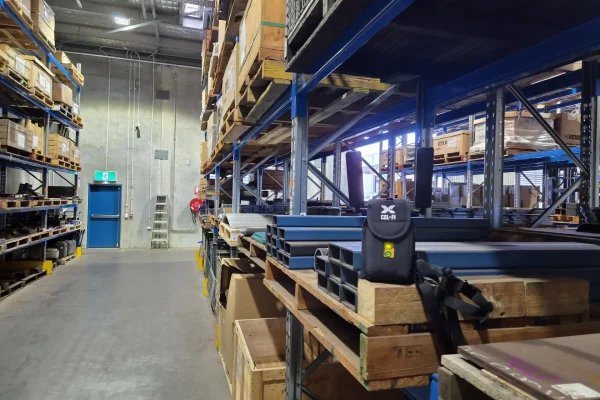
Beyond the steel cladding and structural steel common to all industrial buildings, warehouses add their own challenges. Scale: a single warehouse floor can be the size of several suburban blocks, meaning signal that’s fine near the entrance may not reach the far end at all. High-density steel racking: multi-level pallet racking systems add another layer of RF interference on top of the building shell itself. Mixed-use zones: cool rooms, mezzanine offices and loading docks often have different construction again, meaning coverage can vary dramatically within the same site. And distance from town: many warehouses and distribution centres sit in industrial estates on the edge of town, further from the nearest tower than a CBD office would be.
Poor coverage on the floor isn’t just a dropped call. It typically shows up as staff unable to reach a supervisor or raise a safety issue from parts of the floor, handheld scanners and warehouse management systems losing connection mid-task, EFTPOS and freight documentation failing at the dispatch bay, and two-factor authentication failing for staff trying to log into cloud systems on-site.
WHO THIS AFFECTS
Poor mobile coverage is a recurring issue for warehouses and industrial buildings, hospitals and health clinics, schools and education campuses, mining camps and remote sites, transport depots and logistics operations, local government buildings, and multi-storey commercial buildings with basement or core areas that sit outside normal signal range.
The Fix
The right solution depends on the size and layout of the site.
Single floor or defined problem area — a carrier-approved Cel-Fi booster is usually the fastest, lowest-cost fix, deployable without the delays of a full carrier application. See Indoor Coverage Boosting →
Multi-zone sites, mezzanines, or larger footprints — a Distributed Antenna System (DAS) distributes signal across the whole site from a single design, starting with an RF site survey to map exactly where coverage fails. See Distributed Antenna Systems →
If the coverage gap is part of a broader connectivity issue — no fixed internet on site, or ageing network infrastructure — see Networking & Security as well.
How Younifi Approaches a Warehouse Site
Every project starts with a site assessment rather than a standard package. That typically means:
- An RF site survey to identify where signal actually drops and why
- A review of which carriers your team needs supported
- A design that matches the fix to the problem (rather than over- or under-specifying equipment)
- Carrier-approved installation and commissioning
- Remote monitoring after handover so issues get caught before they’re reported
What drives cost and timeframes
Cost is driven mainly by the size and complexity of the space (number of zones, floors and materials), which carriers need to be supported, and whether the site needs a single booster or a full DAS. A single-zone Cel-Fi install is typically the fastest and lowest-cost option; multi-zone DAS projects take longer because of the site survey and design work involved, but suit large or high-occupancy buildings where a single booster won’t reach. Younifi can give an indicative cost range once a site survey has been done — trying to price this without one usually leads to the wrong-sized system.
Common mistakes and risks
The most common mistake is installing an uncertified or non-carrier-approved booster. These can be switched off remotely by the carrier if they interfere with the network, and in some cases contravene ACMA rules — leaving a business with equipment it can’t legally run. The second most common mistake is undersizing the system for the space, which means the black spot moves rather than disappears. A proper site audit avoids both.
Related services
If the coverage issue is part of a broader connectivity gap — no fixed internet on site, or a need for a permanent tower — see Communications Infrastructure Builds and Networking & Security.
frequently asked questions (faq's)
Why is coverage worse near the racking than near the office? Dense steel pallet racking adds RF interference on top of the building’s own construction, which is why coverage can vary significantly across the same warehouse floor.
Can one booster cover a whole warehouse? Sometimes, for a single defined area. Larger or multi-zone warehouses usually need a DAS, which is designed after a site survey rather than assumed from square footage alone.
Do you work with warehouses outside metro areas? Yes — regional and industrial-estate sites are common, and often need coverage solutions more than CBD buildings do, given their distance from the nearest tower.